APK files deserve more caution than store installs. This page walks file integrity, permission audit and update routine checks.
11Tiger APK verification
APK installs deserve a separate, slower read. This page is that slower read. It covers file integrity, permission categories, the update routine the desk follows before a refresh, and the thresholds the desk uses to flag an APK as suspicious. Use it as a checklist before you tap install on any unsigned or sideloaded file.

File integrity
A real APK from a partner brand carries a stable file size, a stable build number and a signature chain that traces back to the brand's signing certificate. The desk treats all three as required reading, and treats any mismatch between them as a stop condition. The reasoning is simple — a re-signed APK can read identically to a clean one until it is opened.
A signature check is the strongest of the three. Tools exist on Android that surface the signing certificate for any APK; the desk recommends running the check on every first install and on every major update.
Permission audit
APKs ask for permissions on install. The desk reads those permissions in the order they appear on the install screen — that order is rarely random. Permissions that read as reasonable are storage, network, and (for a fantasy client) contacts access limited to the user's address book. Permissions that read as off-pattern are accessibility, overlay, and any background activity that survives a force-stop.
Any permission that doesn't fit the fantasy-client use case deserves a direct question to the partner brand's official channel. The desk keeps a public list of brand channels for this purpose.
Update routine
Updates deserve a fresh read, even on a previously trusted brand. The desk recommends running the full integrity, permission and signature check on every major version bump, and a fast read of the changes-only prompt on every minor bump. The minor bump prompt is the one that most often slips past review.
When to refuse
The desk refuses to install an APK when the file size differs from the published size, when the signature chain fails, when any permission category reads as off-pattern, or when the source page cannot be located on the partner brand's own published domain. Four refusal rules, each tested in sequence.
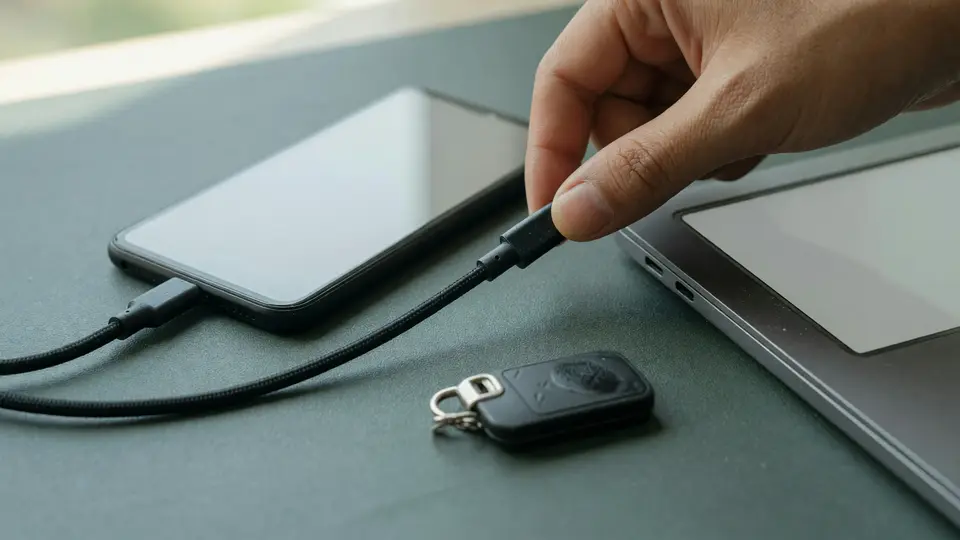
What an APK install actually involves
An APK is the file format that the Android operating system uses to distribute and install applications outside the Google Play store. An APK install is the workflow that gets a partner brand's app onto an Android device when the Google Play store is unavailable in the reader's region, when the reader has chosen to bypass the Play store for any reason, or when the partner brand distributes the app through its own channel rather than through the Play store. This guide covers the file-integrity, permission-audit and update-routine steps that an APK install requires, and is the sibling of the download guide for non-APK regions.
An APK install is also the highest-risk path in the reader's contest cycle. The Play store's own verification layer — publisher identity, file signature, malware scan — is the layer an APK install bypasses. The bypass is legitimate in regions where the Play store is unavailable or for partner brands whose distribution channel is the partner brand's own site. The bypass is also the layer that a clone file exploits: a clone APK looks like a legitimate APK but ships with a different signature and a different payload. The desk's coverage of file integrity and permissions is the reader's substitute for the Play store's verification layer.
Editorial independence also applies to APK coverage: the desk does not endorse any specific APK source because endorsement would imply a relationship with the source. The desk does publish a verification routine that catches clone files, and that routine is the durable thing. The source that the reader verifies through the routine is interchangeable across partner brands.
A reader who has already installed the APK and is reading this page from a post-install reference should skip ahead to the update-routine section. The file-integrity and permission-audit steps are most useful before the first install; the update-routine step is what catches a clone update after the first install, which is the most common clone-APK distribution pattern.

The file-integrity and permission-audit routine
The file-integrity routine has four steps: (1) verify the partner brand's published APK size against the downloaded file's size; (2) verify the partner brand's published SHA-256 hash against the downloaded file's computed hash; (3) verify the partner brand's published certificate fingerprint against the downloaded file's certificate; (4) verify the partner brand's published version stamp against the downloaded file's version. Each step is a single comparison; the four together catch most clone-APK incidents.
Step 1, size verification, is the fastest check and the most likely to catch a clone file that has been re-encoded. A re-encoded clone will have a slightly different size, even when the file size in the partner brand's published metadata has not changed. A difference of more than a few percent is a flag. The desk's recommendation is to compare against the partner brand's most recently published size stamp, not against an older stamp.
Step 2, hash verification, is the strongest single check. A SHA-256 hash is a 64-character hexadecimal fingerprint; a clone file's hash will differ from the published hash, even when the file size happens to match by coincidence. The desk's recommendation is to compute the hash with a separate tool — not with a tool bundled into the partner brand's site — because a clone site could ship a hash-comparison tool that returns a match regardless of the input.
Step 3, certificate fingerprint verification, is the check that catches a clone file signed with a different key. A clone signed with a different key is the most common distribution pattern for clone APKs, because re-signing a file with a new key is easier than re-encoding the file to match a published size. The desk's recommendation is to compare the certificate's SHA-256 fingerprint against the partner brand's published fingerprint, and to escalate through the partner brand's verified support channel when the two fingerprints disagree.

Where the APK routine fails
The routine fails first at step 2, hash verification, when the reader does not have a separate hash-computation tool installed. The reader uses a hash-comparison tool bundled into the partner brand's site, and the bundled tool returns a match for a clone file. The right response is to install a separate hash-computation tool — the desk does not recommend a specific tool — and re-run the comparison. A bundled tool is part of the trust boundary the desk's routine exists to substitute for, not part of the verification.
The routine fails second at step 3, certificate verification, when the partner brand's published certificate fingerprint is missing or out of date. The right response is to compute the certificate fingerprint from a previously verified APK file — a file the reader has on disk from an earlier, hash-verified install — and to compare the computed fingerprint against the current downloaded file's certificate. A previously verified file is the substitute for a missing published fingerprint.
A third failure: the install step itself. The reader enabled "install from unknown sources" for the install, but did not disable it afterwards. The right response is to disable the unknown-sources setting immediately after the install. A persistent unknown-sources setting is the most common security regression on Android devices that have ever run an APK install, and the desk's coverage of the install step is incomplete without the disable step.
A final edge case: the update-routine step. The reader installed an APK weeks ago, and the partner brand published an update. The right response is to run the update through the same file-integrity and permission-audit routine as the first install. A clone update is the most common clone-APK distribution pattern, because a reader who trusts the first install tends to skip verification on the update.
A region-restricted note: the APK routine also covers the partner-brand-published "verify before you side-load" page, which most partner brands publish in their help centre. The desk's recommendation is to read that page once, at the start of a contest cycle, and treat it as the partner brand's own published checksum. A published checksum that disagrees with the routine is a flag, not a dealbreaker, and a reader who values the editorial line should treat the disagreement as a reason to escalate through the verified support channel rather than to skip the routine.
Frequently asked questions
Is an APK download ever the right call?
It can be, when the partner brand does not publish a store build for your region or device. The desk treats an APK install as a heavier decision than a store install and recommends the same checks either way.
Which permissions are most worth refusing on an APK?
Accessibility, overlay and any background activity that survives a force-stop. The first two have legitimate use cases in productivity apps but not in a fantasy client.